 Elegant
VisiPics alternative that works on Windows 11
Someone in a thread recommended VisiPics, you went looking, and the download is still there. So is the version number next to it: 1.31, February 2013. That date is where most people stop, cursor hovering, wondering whether a program older than their phone should be pointed at twenty thousand family photos. The hesitation is fair, and it has nothing to do with old software being bad software. The library you want cleaned today is not the library that existed when that installer was signed. The question worth asking is not whether it installs. It is whether it can see your files.
VisiPics deserved a better retirement#
Credit first, because almost no “alternatives” list bothers to give any. When VisiPics showed up, the standard duplicate finder compared names, sizes and dates, and on a good day the contents byte for byte. VisiPics compared the picture. It found the same shot again after a resize, a rotation or a save at lower quality, put the candidates side by side, and handed the decision to the person doing the looking. It was free, and it fit on a floppy and a half.
If it still turns up in every recommendation thread about finding similar photos thirteen years later, that is because it worked. What aged was never the thing it did. What aged is the assortment of files that now lands in your Pictures folder.
What changed since its last release#
None of the following is a fault of whoever wrote VisiPics. It is calendar arithmetic, and each item turns into a criterion further down.
The formats. HEIC did not exist as a standard when 1.31 shipped, and it is now what an iPhone produces out of the box. WebP left the lab and leaked into everybody’s Downloads folder. Every year of new cameras brought new RAW variants along with it. A program that stopped before all that does not get those files wrong. It never met them, and a file it cannot open does not appear on screen as a problem. It appears as “nothing found”, which in this line of work is the most expensive wrong answer there is.
The size of the pile. In 2013 a good phone shot eight megapixels and you kept a few thousand of them. The same pocket now produces files several times larger, in bursts of fourteen frames, plus video. A tool built for two thousand files does not explode at thirty thousand. It gets slow, and worse, impossible to review. Nobody clears thirty thousand individual confirmations.
The round trip through messaging apps. A huge share of today’s duplication did not come from importing twice. It came from your own photo returning from the group chat at 1,280 pixels with a new name and date. That case barely existed when VisiPics was designed, and it is now the most common one in the folder.
None of this makes it dangerous, and I am not going to pretend it does. It makes it fixed. What it does today is exactly what it will do next year, and your library is not fixed.
The bar any replacement must clear#
Every list of alternatives hands you six names and no criteria. I would rather do the opposite: four questions to put to any candidate, ours included.
Can it open the formats you actually have?
Before you judge a result, check that the program managed to read the files. HEIC, WebP, RAW and video all depend on Windows codec extensions, and an honest tool counts on screen how many files it could not open instead of letting that pass as “no duplicates here”. If the screen does not distinguish “I looked and found nothing” from “I could not look”, you do not have a result. You have an impression.
Does it tell you why, in words, instead of a number?
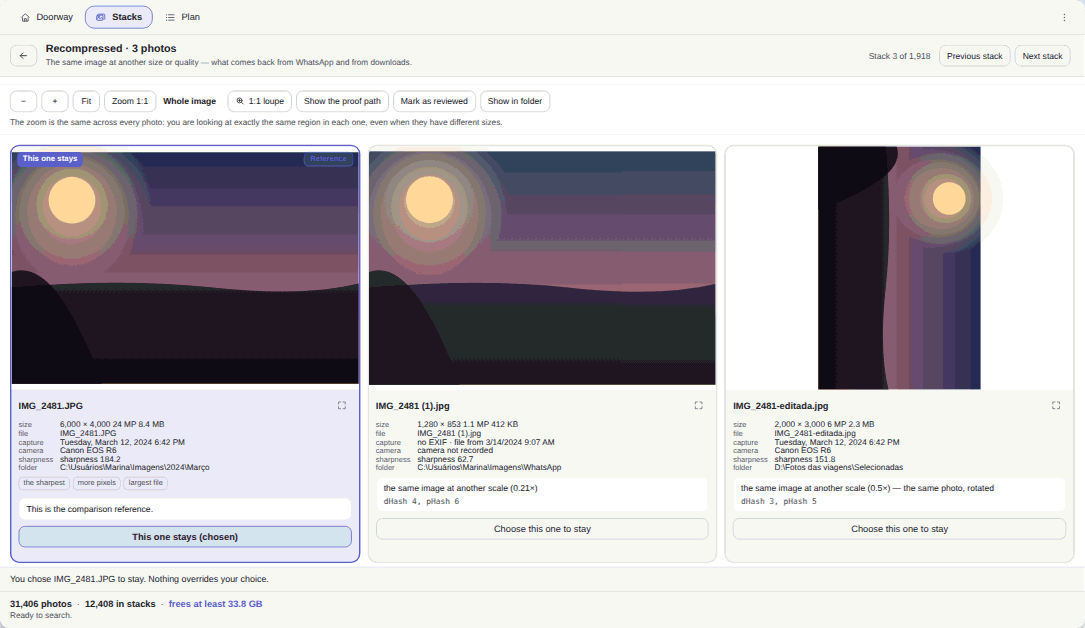
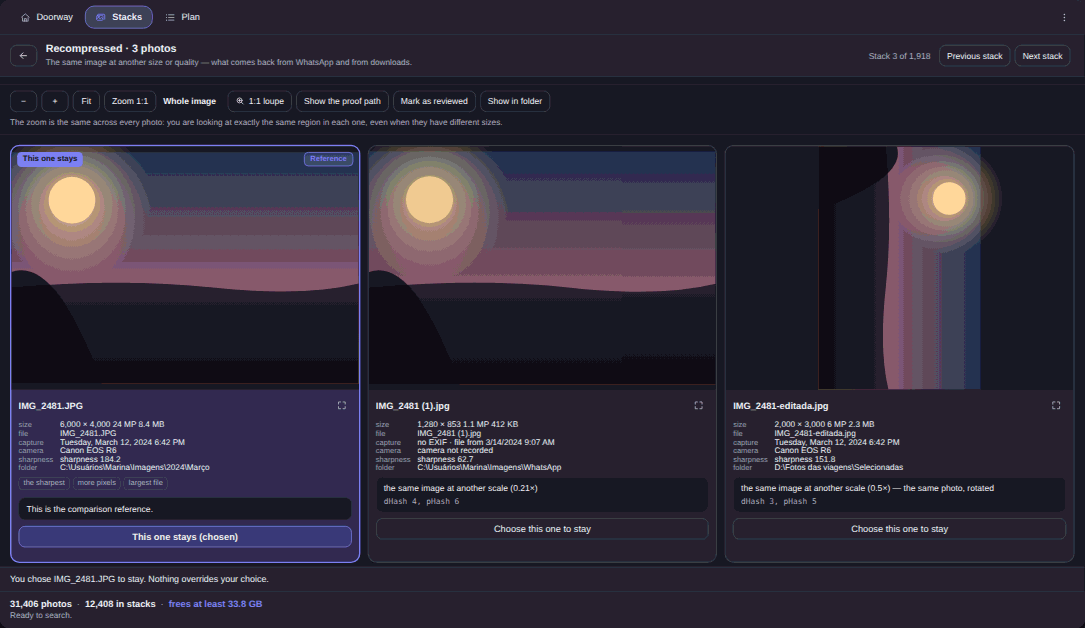
“87% similar” is not an explanation, it is a request that you guess. The sentence that settles it reads more like “the same photo, rotated” or “the same image at another scale”. The difference shows up at the exact moment your finger is over your sister’s wedding photo and you have three seconds to decide.
Where does the deleted file go?
This is the one I will not negotiate. Photo cleanup is the household operation most likely to end in regret, and the distance between a scare and a loss is the Windows Recycle Bin. Ask what happens to companion files too: the .XMP beside a RAW and the .MOV beside a Live Photo need to travel with the file they belong to, and come back with it if you undo.
Do two identical scans give the same answer?
If a tool advertises artificial intelligence for finding similar photos, ask whether scanning the same folder twice produces the same result. There is nothing magical to win here. Image similarity is a measurement, and a measurement repeated has to agree with itself. A result that changes its mind between sessions cannot be reviewed at all.
The free alternatives that actually exist#
If price is what decides for you, here is the honest part: good free options exist and you should try them before spending anything. Czkawka is free and open source, runs on Windows, and is still being worked on. dupeGuru has a picture-specific mode and is also open source. AllDup is free and has kept a loyal following for years.
None of the three is bad, and it would be dishonest to suggest otherwise. They ask for more patience with settings: they are tools for people who enjoy turning knobs until the result looks right. If that is you, take the four questions along and judge for yourself.
Where Elegant Photo Cleaner clears that bar#
Elegant Photo Cleaner was written for the exact problem VisiPics went after, with those four questions in mind. It compares the images themselves rather than names or dates, and it groups the result into stacks with a declared kind.
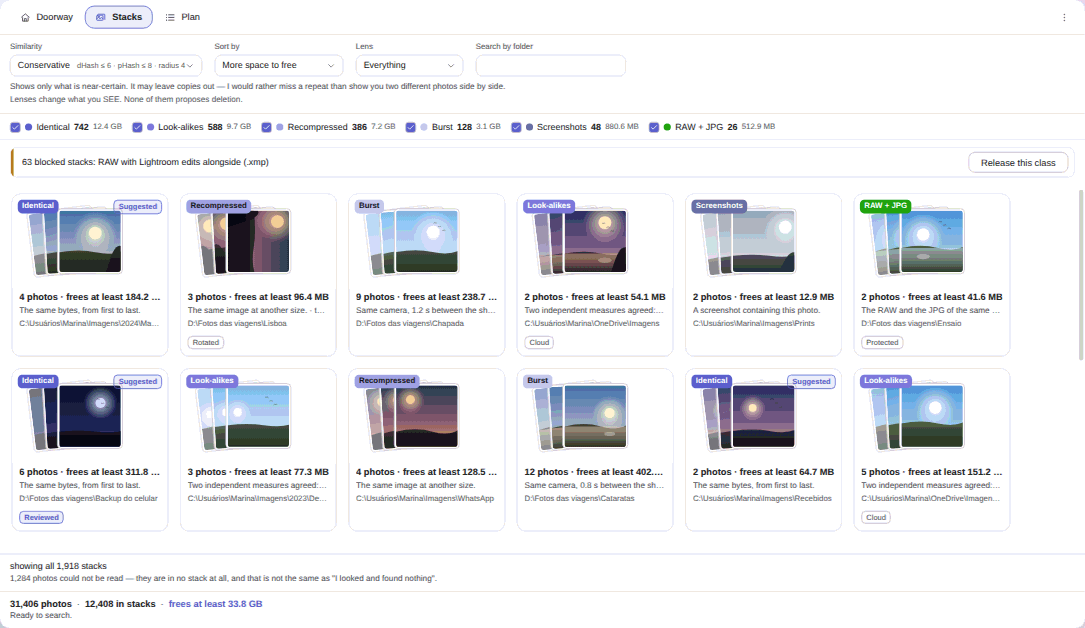
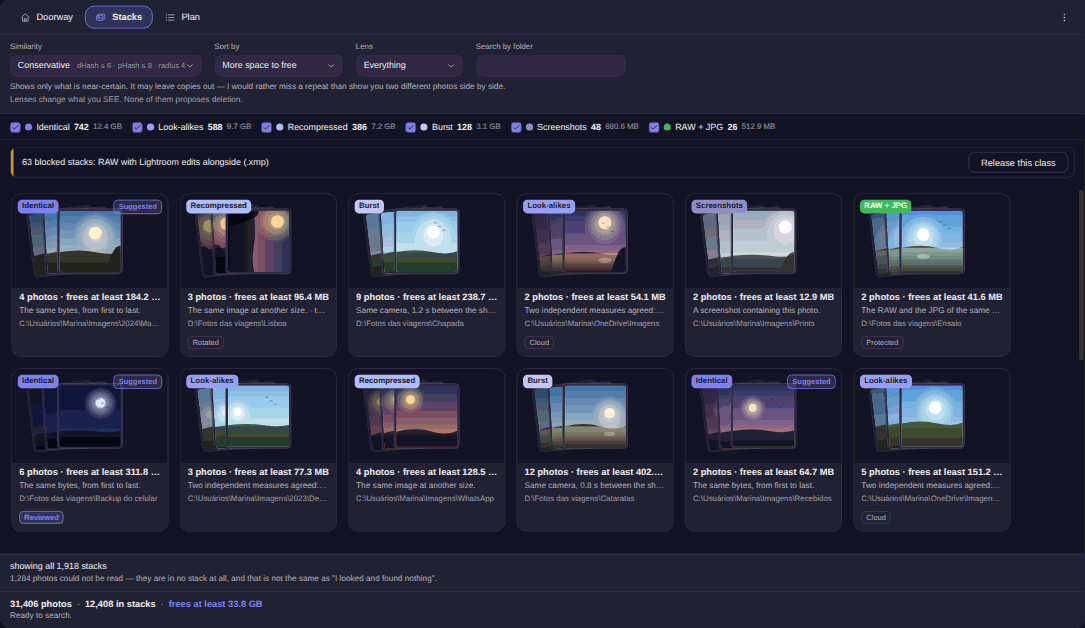
On formats: HEIC, RAW, WebP and video still depend on Windows extensions, as they do in any program. The difference is that it probes the codecs before the heavy analysis, names the extension that would fix it, and counts on screen what it could not open. Nothing it failed to read enters a stack, not even as the survivor.
On explanations: there is no 0-to-100 score anywhere in the product, and that absence was decided rather than forgotten. What you get is the sentence. When you want to check with your own eyes, the comparer puts the versions side by side with the zoom locked together.
On the destination: the only destructive verb in the app is the Windows Recycle Bin. Permanent deletion does not exist there, not even hidden in a settings box. Companion files travel with their photo and return with it, and if you close the window the undo offer is waiting the next time you open the app. Where there is no Recycle Bin, on a USB stick or a network drive, those items leave the plan beforehand, counted and weighed on screen.
On repeatability: this is maths, not AI. The same library scanned twice gives the same answer.
Now the part the bar charges us for too. A real crop, a trimmed panorama, a collage, a photo taken of a screen and a crooked 7° rotation all sit outside image comparison, because only the eight rotations and mirrors of the square are covered. Very flat photos, such as sky or a scanned document, are the hard case, and on the strictest step it recovers around 80% of those pairs. Video stacks are rebuilt every session, so seeing them again means scanning again. And it never hunts through your computer on its own: you declare the folders, and a whole-volume root is refused.
Your first scan, in 4 steps#

- Point it at your folders, in the Doorway tab. Under Add folder…, pick where the photos actually live: Pictures, the travel drive, the phone backup. Each folder shows its count, its weight and whether it sits on SSD, HDD or in the cloud. Camera RAW photos and Videos arrive switched off, with the cost of video written beside the switch.
- Start the search and let it run. Stacks appear while it is still working, and cancelling halfway does not throw away what has been analysed. At the end it tells you how many photos it read and how many files it could not open.
- Open See the stacks and stay on the default step. The screen starts on Conservative, the strictest of the three. You can move up to Normal or Wide and sort by More space to free. Changing the step changes what you see, it does not rescan.
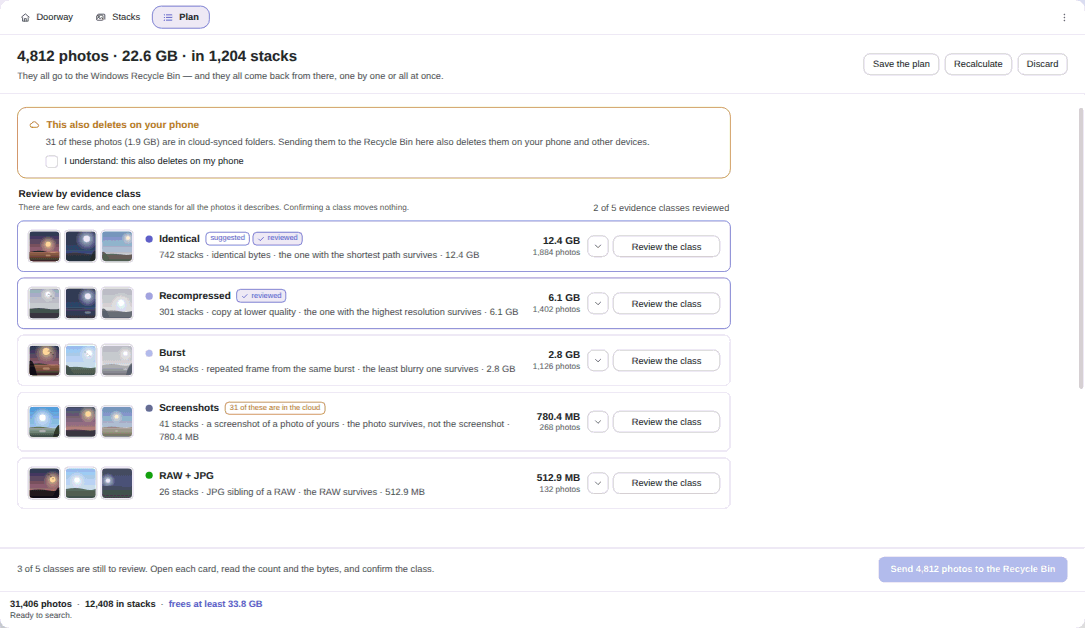
- Review the plan and approve it. The Plan tab gathers everything into about a dozen cards, kind of stack crossed with reason for leaving. Nothing moves before your approval, and nothing arrives pre-ticked, with one exception: the byte-for-byte copy carries a suggestion badge, and even that one waits for your click.
If your copies really are identical, the shorter road is Find Duplicate Photos Without Losing a Memory. And for the full tour of all eight kinds of stack, that is Find similar photos on Windows, not just exact copies.
Free wasn’t VisiPics’ only price#
VisiPics never charged money. It charged the hours you spent checking what it could not see, and today it charges the risk of deciding about a library it reads half of. That is the honest sum to do before replacing a tool that once worked.
Elegant Photo Cleaner is US$ 9.99 at launch price, against a US$ 12.99 list price. It is a one-time purchase with no subscription and no renewal, and a 15-day trial on your own PC, no card and no account, on the Microsoft Store, for Windows 10 version 1809 or newer and Windows 11. The Elegant Photo Cleaner changelog shows what changed in each release, which is precisely what went missing on the other side.
Fifteen days is enough to run the bar against your photos rather than mine.