 Elegant
Find duplicate videos on your PC — safely, offline
Every disk cleanup starts with photos and stops short of the videos. There is a good reason for that. A photo you judge in half a second from the thumbnail: this one is blurry, out it goes. A video you would have to open, scrub through, then open a second file and scrub through that one too. Call it two minutes of work to make one decision, and there are hundreds of files in the folder. So videos get postponed, and postponed is where the gigabytes live.
The 2-minute clip that outweighs the whole album#
Do the arithmetic first, because the arithmetic decides whether this is worth your afternoon.
A phone recording 4K at 60 frames per second writes roughly 400 MB per minute. That figure comes from Apple’s own camera settings screen, not from me. So two minutes of a birthday party is about 800 MB. Photos from that same phone run 3 to 5 MB each. Which means the single clip you shot while everyone sang takes up the space of two hundred photos of the entire party.
And deleting one is a different kind of decision than deleting a photo. With a repeated photo the question is aesthetic: which of the five came out best. With a repeated video the question is about the file itself: if I bin the wrong one, do I lose the version that still has room to be edited? That hesitation is reasonable, and it is the real reason nobody touches that folder.
The same video, three files that match on nothing#
The birthday clip was born on the phone, in 4K, named IMG_4021.MOV. You sent it to your mother over WhatsApp, and the app re-encoded it to fit the upload: different resolution, new name, new date. Months later you cut the good bits into one film, and the editor spat out a brand-new MP4.
Three files, one scene. And here is the detail that ruins the easy cleanup: they have not a single byte in common. The messenger’s re-encode rewrote everything, and the editor’s export rewrote it again, with a different encoder and a different frame size.
That matters because nearly every duplicate finder compares files byte for byte. If you copied a folder to an external drive and later copied it back, that tool is exactly right and the route is already written up in Find and remove duplicate files safely. It is the easy half of the problem, and it is a real half.
The hard half is the one above. To an exact comparison, the original and the WhatsApp copy are two unrelated files. Both stay. Both have been staying for years. For photos this same deadlock has its own treatment and its own article, Find similar photos on Windows. Video is a different animal.
Three looks at the video itself — and a cost stated first#
Elegant Photo Cleaner treats video as a stack type of its own, called Videos, and what it does fits in one sentence. Instead of comparing the file, it opens three points inside the video itself, one near the start, one in the middle, one near the end, and compares those images against another video’s. If two of the three agree, and the two durations match within one second, that becomes a stack.
Duration is in there on purpose. It is what separates “the same party filmed twice” from “the same file at two qualities”. Similar-looking scenes happen constantly in home video, because the camera stays pointed at the same place. Identical running time to the second does not.
The relation is checked pair by pair, and never chained. If A resembles B and B resembles C, that does not make A and C relatives. Without that tightening, a handful of neighbouring clips becomes one twelve-file stack that nobody reviews honestly, and reviewing honestly is the entire point. There is also no artificial intelligence involved: these are measurements running on your own processor, and the same library scanned twice gives the same answer.
The price is printed on screen before you flip the switch: “Video is expensive: three frames opened per file. Turn it on when you suspect re-encoded video.” Opening a video to grab an image from the middle of it is nothing like reading a photo. That is why video analysis starts switched off, and why the cost sits next to the toggle instead of arriving later as a loud fan and forty minutes of waiting.
How to find the duplicate videos, in 5 steps#
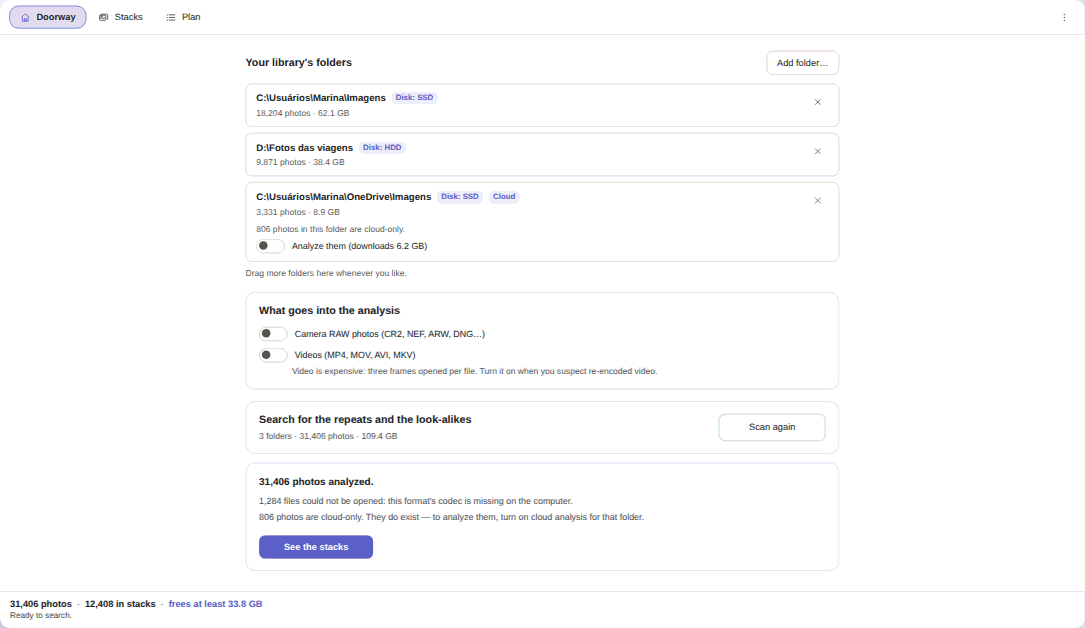

- Point it at your folders in the Doorway tab. Under Add folder…, pick where the videos actually live: Pictures, the WhatsApp folder, the travel drive, the exports folder. Each one reports how many files it holds, how many GB, and whether it sits on SSD, HDD or in the cloud. It will not scan your computer on its own: a whole volume root is refused.
- Turn on Videos (MP4, MOV, AVI, MKV). This is the one step you have to remember, and everything below depends on it.
- Run Search for the repeats and the look-alikes. Stacks appear while it is still working, and cancelling halfway does not throw away what has already been analysed. This is where the cost announced in step 2 shows up as time.
- Open See the stacks. When the scan ends it reports how many files it analysed and how many could not be opened for want of a codec. Those are two different sentences, and it refuses to let the second one pass as “nothing found”.
- Build the plan and approve it class by class. Nothing moves before that.
Review by class, not file by file#
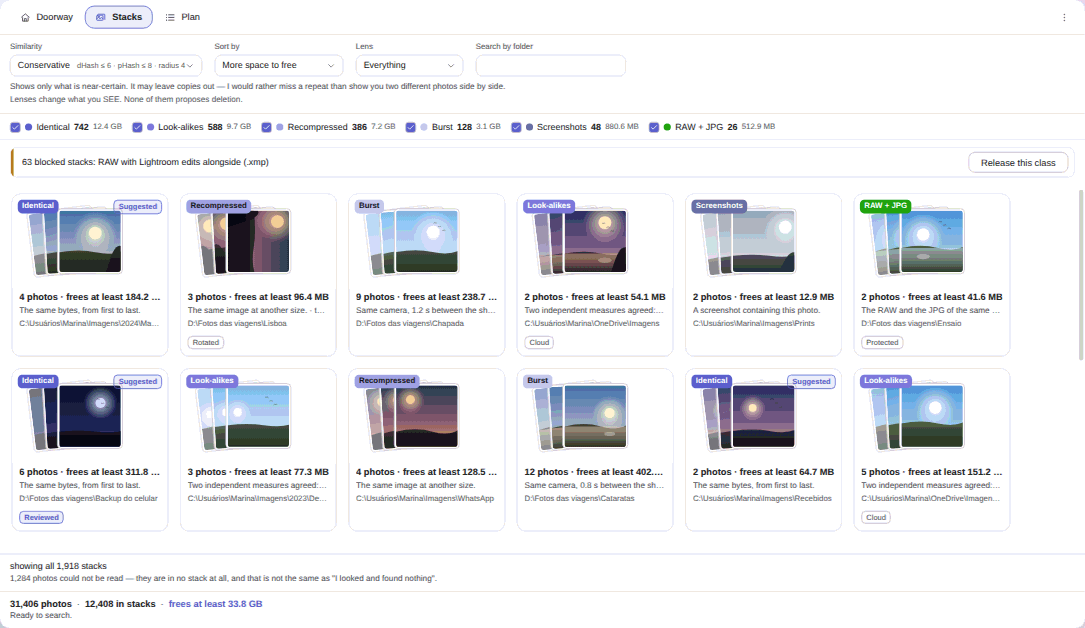
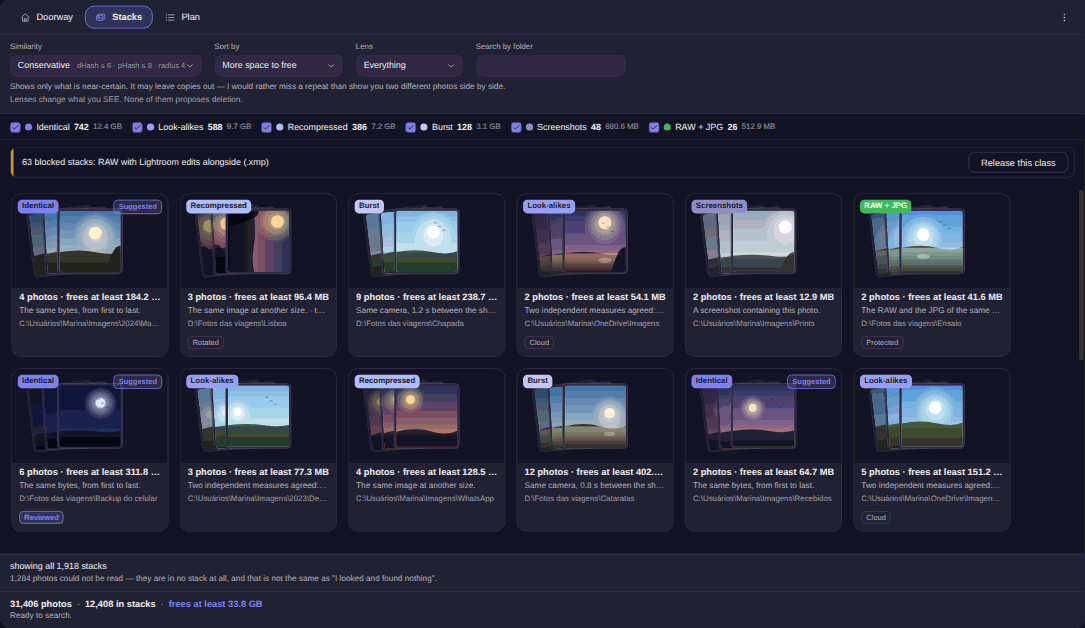
The sample library used across the site holds 31,406 photos, 12,408 of them sitting in some stack, 33.8 GB in play. Look at the footer, the part almost nothing in this category will show you: 1,284 files could not be read, and it tells you to your face that this is not the same as “I looked and found nothing”.
The similarity control has three steps and defaults to the strictest one. Changing step changes what you see, never what is proposed: it is a lens, not an accelerator.
Video deserves one extra warning here. When the engine distrusts a group, it shows the group, explains why it is suspicious, and proposes absolutely nothing. A video exported frame by frame, filling a folder with near-identical images, is the classic case: it looks like duplication and it is not. The approval gate refuses that group even on the widest step.
The only destructive verb is the Recycle Bin#
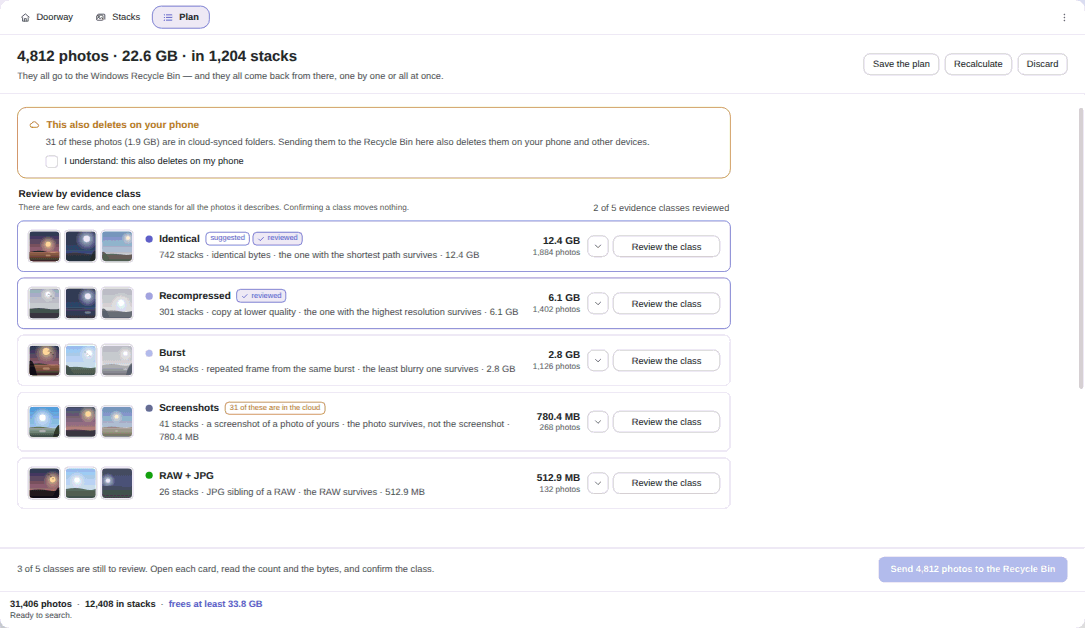

The plan collapses everything into around a dozen possible classes instead of thousands of item-by-item confirmations. Each card states how many stacks, how many files, how many bytes and who survives: in the screen above, “the one with the highest resolution survives”, “the least blurry one survives”. Confirming a class moves nothing.
What happens after you approve, in order:
- Nothing arrives pre-selected. Only the byte-for-byte copy carries a suggestion badge, and even that waits for your click. A video stack is similarity, not sameness, and gets no badge at all.
- The bytes are re-read immediately before recycling. Any mismatch drops the whole stack with a named reason.
- The destination is the Windows Recycle Bin. Permanent deletion does not exist in the app, not even as a hidden checkbox.
- The survivor gets opened at the end. If the file that stayed will not decode, the entire batch comes back out of the Bin and the screen says so.
- Undo still works tomorrow. Closed the window? The offer is waiting next time you open it. It does depend on the files still being in the Recycle Bin: empty that, and no verb brings them back, which the app tells you rather than pretending.
Where there is no Recycle Bin (memory card, USB stick, network drive), those items leave the plan beforehand, counted and weighed on screen.
What it tells you before you find out the hard way#
Video stacks do not survive closing the app. Photo stacks are painted back when you reopen it; video stacks are rebuilt each session and need a fresh scan. It is written into the known limits on the product page, and the reasoning is honest: the alternative was making every photo in the library carry three fields only videos use. In practice, do the video cleanup in one sitting.
Formats depend on Windows. The switch names MP4, MOV, AVI and MKV, and reading them depends on the codec extensions installed on your machine; for phone video that usually means HEVC Video Extensions. The app probes the codecs before the heavy analysis and names the extension that fixes it, instead of handing back a short list and letting you assume everything was clean.
A synced folder deletes on your phone too. Recycling inside a OneDrive, Google Drive or iCloud folder propagates the deletion to your other devices. The app treats a sync root as a protected path and asks for one extra acknowledgement, that amber banner on the plan screen.
And it decides nothing on its own. There is no schedule and no automatic cleanup: the windowless mode only reads, and writes a report beside the folder.
A sweep you can run again whenever#
For video you rerun the scan whenever you suspect the folder has filled up again, which tends to be after a trip or a run of exports.
No video, no file name and no hash leaves your machine. It is US$ 9.99 at launch price (list US$ 12.99), a one-time purchase, no subscription, with a 15-day trial on your own PC, no card and no account, on the Microsoft Store. The Elegant Photo Cleaner changelog shows what changed in each version.
If your problem is not duplication but disorder, with drone clips, takes and exports piled into the same folder, that is a different route and it lives in Organize drone and video footage.
The birthday clip has earned its place. It is the other two copies of it that are charging rent.