The burst you fired at the sea. Your own picture back from WhatsApp at 1,280 pixels. The screenshot of a photo you already had. The RAW sitting next to its JPG. Anything that compares files byte by byte calls those four different photos. They are one.
Elegant Photo Cleaner · duplicate and near-duplicate photos · Windows 10 and 11
Illustration. Five files, one photograph, five different names, sizes and dates. Not one of them matches another byte for byte.
A duplicate finder that compares content hashes is right about one thing and blind to four others. These are the four.
SHA-256 a3f9c1…b70e · SHA-256 71c2d8…4f19
The eye says one photo. The hash says two files with nothing in common. Elegant Photo Cleaner finds identical copies with SHA-256 as well, and treats them as the easy half of the problem.
Elegant File Explorer organizes files by rules and finds byte-identical duplicates. Neither app requires the other, and nothing on this page needs the sibling installed.
Meet Elegant File ExplorerThere is no model in here and no inference. There are measurements: five of them, all old, all checkable, and all of them running on your own processor. The same library scanned twice gives the same answer, down to the byte.
Below is what each measurement actually does, drawn rather than described, because the honest version fits in a picture.
The photo is shrunk to a tiny grey grid and each square is compared with the one beside it. Brighter or darker, one bit. Sixty-four squares, sixty-four bits, and what you get is a fingerprint of the shape of the picture rather than of its bytes. Resize it, save it again at 91 KB, and the fingerprint barely moves. In the drawing above, two of the sixty-four bits disagree.
It is not a comparison of thumbnails, and color is not what it looks at.
A second signature keeps only the low frequencies of the image, the broad masses instead of the grain. It is what survives a brutal recompression, and it is also the one that says no when two pictures merely happen to look alike.
Two signatures are compared by counting the bits that differ. A pair only becomes a similarity edge when both agree, dHash and pHash together, never one or the other. That single word is what keeps a scanned document readable: two different pages of the same document sit two bits apart on dHash alone, and would be glued together by a looser rule.
There is no free number to type, and nothing more permissive than the widest step. The engine refuses it by name.
Inside a stack that already exists, the app measures how abruptly light changes across each frame. A shaky frame produces a low number, a crisp one a high number. That is how the fourteen frames of the same wave can be put in order of sharpness without anyone squinting at them.
It does not go hunting for blurry photos on its own. A single blurry photo has no partner, so it never enters a plan.
Bursts are not found by looking at pixels. They are found in the camera's own record: the same camera, capture times at most two seconds apart, and the whole stack inside thirty seconds. It is a time edge, not a picture edge, and the window is the same on all three similarity steps.
These numbers belong to the engine. The screen never shows you a score: it shows a sentence. And the result is deterministic: the same library gives the same answer, byte for byte, on any machine.
Floors, not averages: the worst value observed, measured on the Conservative step, which is the default and the strictest of the three. These are recall figures from the engine's own seeded corpus, rebuilt across six independent seeds. They are not a precision number, they are not your library, and they do not add up to a single percentage. Very flat photos reach 100% from the Normal step upwards.
The kind is deduced from the evidence edges inside the stack, never guessed from a resemblance. Every stack holds at least two distinct files, so a shortcut or a hard link pointing at the same file never becomes one. Seven of them name why two photos are together; the eighth, Blurry frames, is a lens — it sorts by sharpness inside a stack that already exists for another reason.
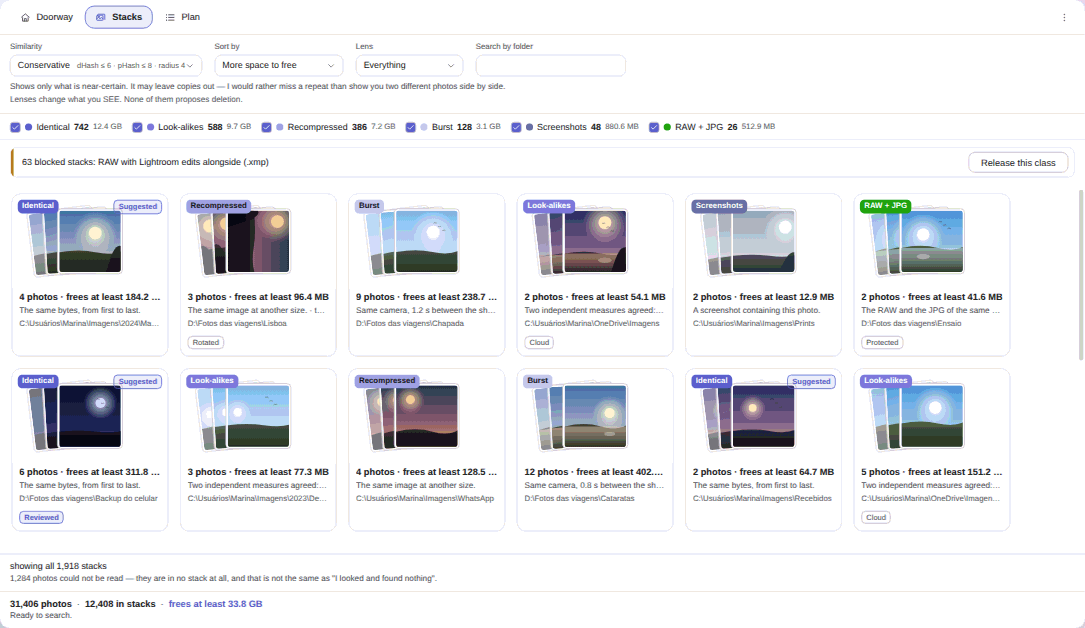
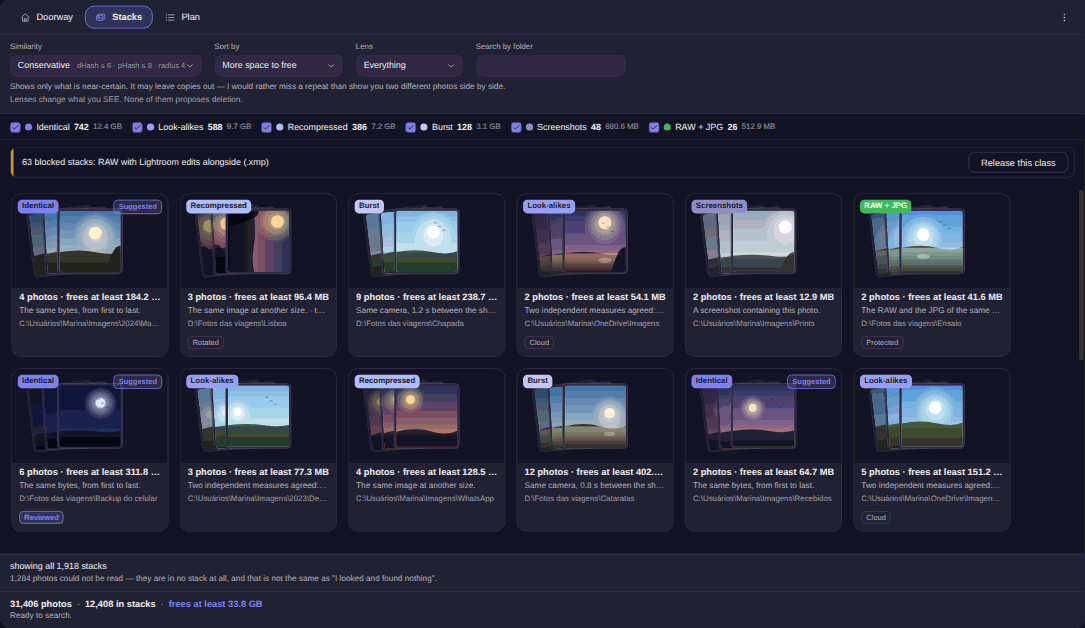
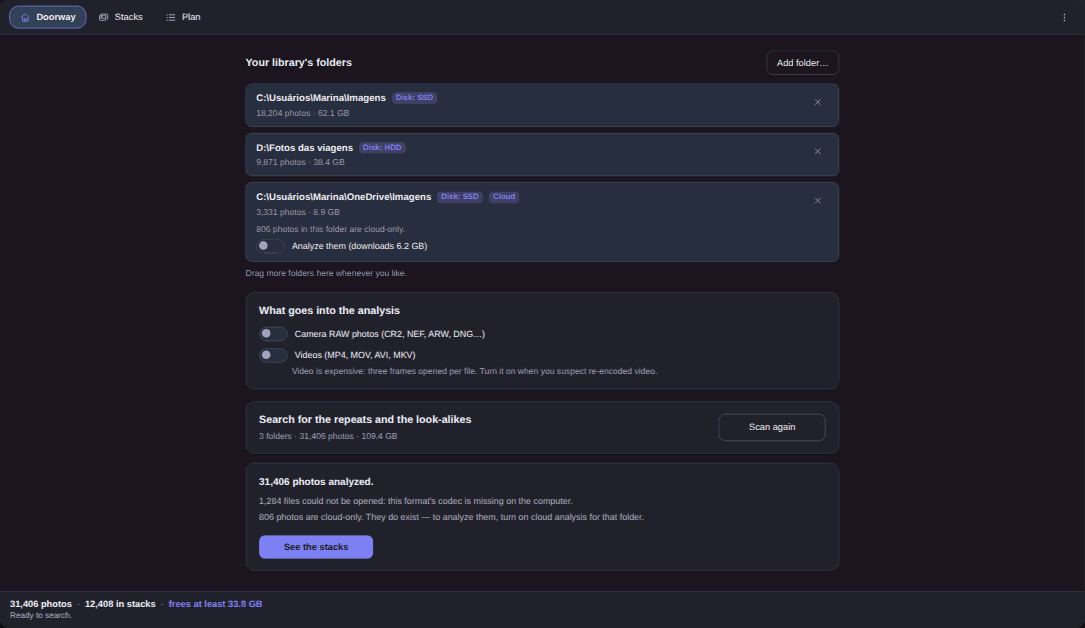
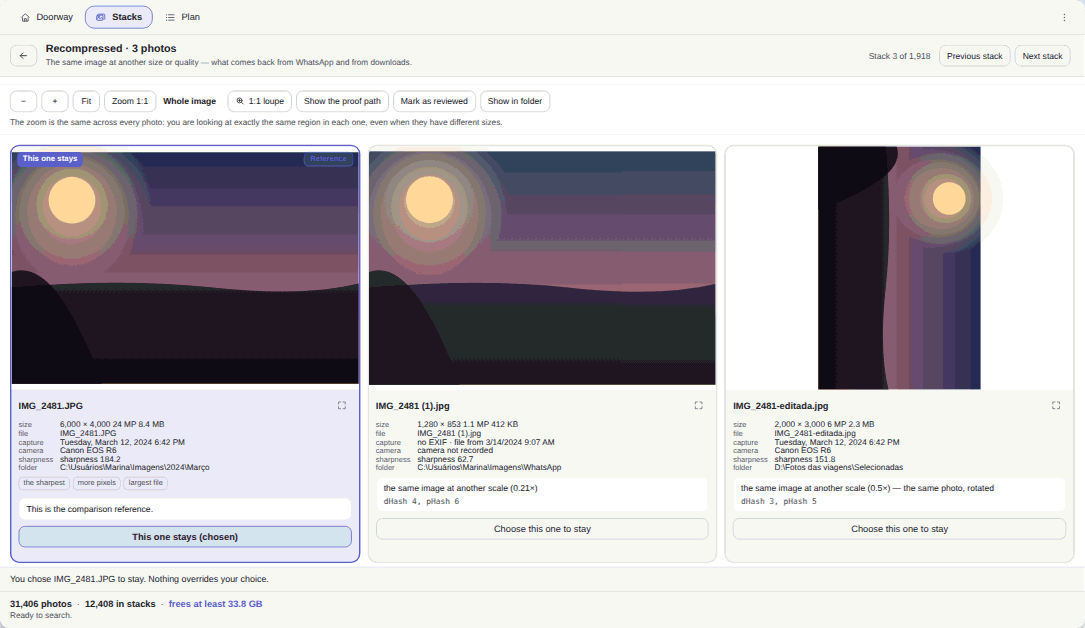
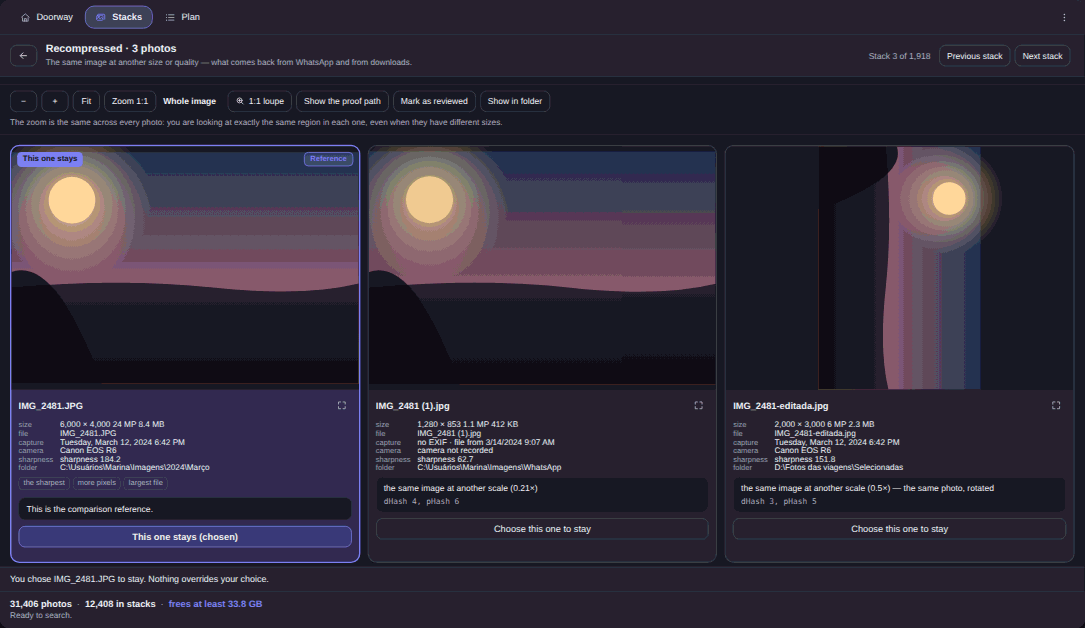
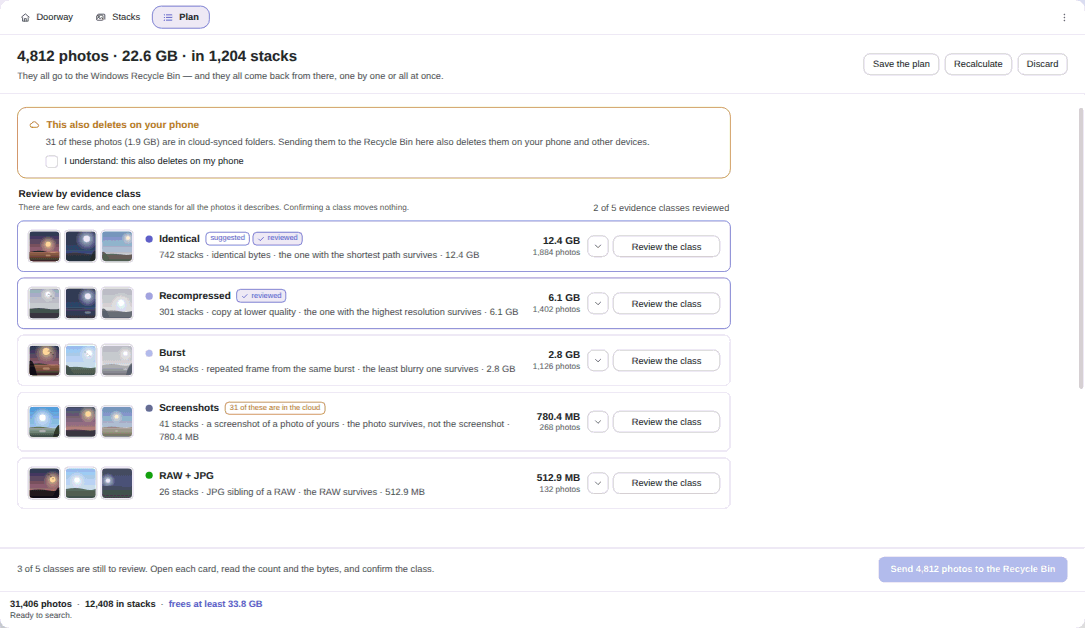
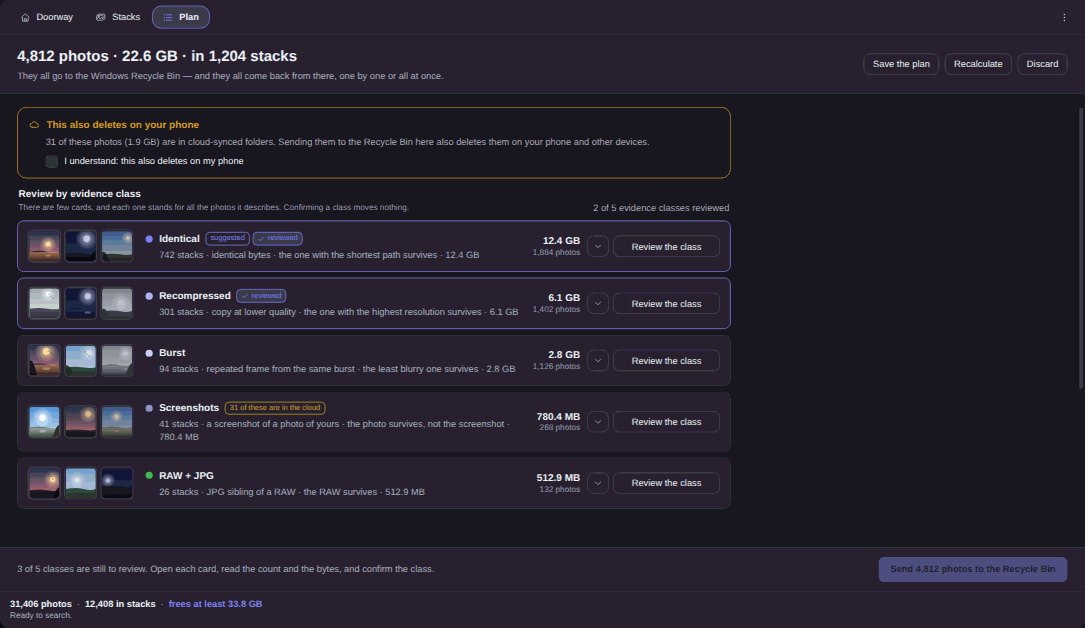
Real captures, in your theme. Click any one to open it full size.
The same bytes, with SHA-256 equal across every member of the stack. Different names, folders and dates, one file. This is the only kind that gets a suggestion badge.
SHA-256The same picture after a resize, a recompression, a rotation or a mirror. dHash and pHash have to agree, and the edge carries which of the eight symmetries was applied.
dHash AND pHashThe same image at another scale or weight: compatible proportions, different dimensions or file size. The 8 MB original and the 91 KB copy from the messaging app.
proportion + sizeFrames from the same camera, at most two seconds apart, with the whole stack inside a thirty-second span. Found in the EXIF record, not in the pixels.
EXIF, up to 2 sA screenshot that contains a photo you already have. It only exists when the uniform frame around the picture can be measured and cropped away.
content boxA lens, not a hunt. Inside a stack that already exists for another reason, it shows which frame is the shaky one, measured by sharpness. It never goes looking for blurry photos on its own.
sharpness, inside a stackThe RAW and the developed file from the same shutter press, verified pair by pair. Strong proof is the companion set, same folder and same base name; weak proof is the same camera with capture times touching.
verified pair by pairTwo of three keyframes, sampled at 10%, 50% and 90%, within the threshold, plus a duration within one second. The relation is checked pair by pair and never chained.
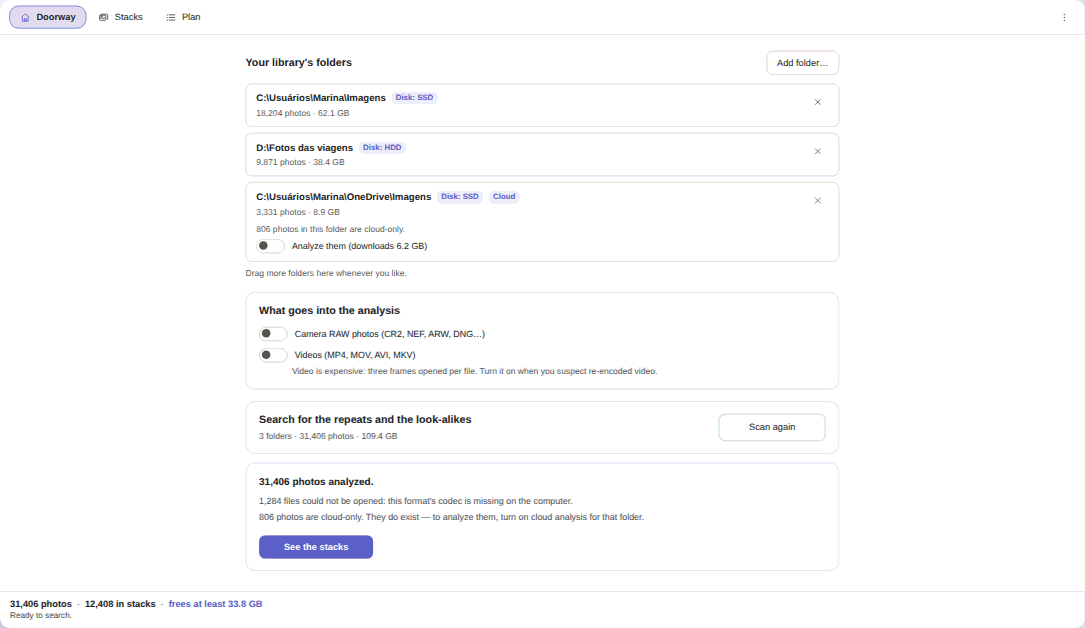
off by defaultRAW and video analysis both start switched off, and the cost of video is said out loud before you turn it on. A stack the engine distrusts, such as thousands of near-identical screenshots, is shown and explained and proposes absolutely nothing.
When two photos land in the same stack, the app does not hand you a percentage to interpret. It hands you the reason.
Illustration of the file card. The eight symmetries of the square are covered: 90°, 180°, 270° and the mirrors. A photo taken 7° crooked is a different problem, and it is in the known limits.
The similarity control has exactly three steps. It changes what you see. It never changes what is proposed.
The default, and the strictest. Fewer pairs on screen, and the measurement floors above were taken here.
The middle step. Flat photos, such as sky, a wall or a scanned page, are reached in full from here upwards.
The widest the engine goes. Anything more permissive is a refusal written into the code, by name.
The lenses change what you see. None of them proposes a deletion.
Permanent deletion does not exist here. Not as a hidden option, not as a box you can check, not as a setting we chose to default off.
It is structural. There is no path in the app that deletes a photo of yours for good: the only deletion calls that exist in the sources touch the app's own log and its own configuration files. The app cannot grow new deletion abilities or a connection to the internet: those limits are part of how it is built, not settings and sockets.
Nothing moves before the plan is on screen, reviewed class by class and approved. There is no function anywhere in the app that recycles a path on its own.
A write-ahead journal records what is about to happen before a single file moves. No journal, nothing moves. Moving without a net is deleting.
Immediately before recycling, it re-reads the SHA-256 and the timestamp of the victim and of the survivor. Any divergence drops the whole stack with a named reason, and “I could not look” is never recorded as “I looked and found nothing”.
Companions travel with the file they belong to: the .MOV of a Live Photo, the .XMP of a RAW.
After the cleanup, the app checks that the photo that stayed still exists and actually decodes. If it does not open, the whole batch comes back from the Recycle Bin and the screen says so.
If you closed the window, the offer is waiting the next time you open the app, and the companion files come back together.
What the app has already analyzed goes into a local catalog, and opening the app paints yesterday's stacks back before it starts reconciling in the background.
Video stacks are the exception, and it is written into the known limits: they are rebuilt each session, so a fresh scan is needed to see them again.
Integration is a bonus and never a toll. What is not genuinely available on your machine does not appear at all: no dead buttons, no notice explaining what you are missing.
The photo you kept opens already selected in its folder, inside Elegant File Explorer.
The app writes a rule for the photos that land from now on and hands it over. The rule arrives switched off, for you to read first.
The verb is missing on the other side, so the button is missing on this side. When it exists, it will be counted like the others.
Elegant Photo Cleaner is on the Microsoft Store. The launch price is for a limited time.
Yes, that is the whole point. Two signatures are taken from every photo, dHash and pHash, and a pair is only called similar when both agree. That is how the same picture is found again after it comes back from WhatsApp at 1,280 pixels, after it is rotated, mirrored or resized. Byte-identical copies are found too, by SHA-256, and they are the only ones that get a suggestion badge.
No. There is no model and no inference. It measures: dHash, pHash, Hamming distance, Laplacian variance for sharpness, and the camera's own EXIF record for bursts. The same library always gives the same result.
No. Nothing is born selected, the plan is reviewed class by class and approved by you, and the only destructive verb in the app is sending a file to the Windows Recycle Bin. Permanent deletion does not exist here, not even as a hidden option.
No photo, no file name and no hash leaves your machine. The app has no way to connect to the internet. The only connection that exists is the license and 15-day trial check against the Microsoft Store, made by Windows' own API, and it is fail-open: if the Store cannot be reached, the access you already had stays.
Yes, from inside the app, including at the next launch if you closed the window. Companion files travel together and come back together: the .MOV of a Live Photo, the .XMP of a RAW. Undo depends on the files still being in the Windows Recycle Bin. If you emptied it, no verb can bring them back, and the app says so instead of pretending.
HEIC, RAW, WebP and video need the matching Windows codec extension. The app probes the codecs before the heavy analysis and names the extension that solves it, and whatever could not be read is counted on screen and can be neither victim nor survivor. RAW and video analysis start switched off, and video stacks are rebuilt each session.
A real crop, a cut panorama, a collage, a photo taken of a screen, an arbitrary rotation such as 7°, and a decorative frame that is not uniform. Only the eight symmetries of the square are covered — 90°, 180°, 270° and the mirrors.
Sky, a smooth wall, a beach, a scanned document: on the Conservative step the engine finds about 80% of those pairs, and 100% from Normal upwards. Loosening the rule instead would glue two different pages of the same document together, so the answer is the step, not a looser rule. The same tightening is why a burst with a panorama in the middle can come out as two or three stacks rather than one — a price we would pay again.
No. You declare the folders, and a whole-volume root is refused. Network folders are not probed, because a network probe can freeze for tens of seconds, and the headless mode refuses a network root outright.
They are indexed, not opened: opening one means downloading the whole file, so the analysis is enabled folder by folder with the bytes said out loud first. And deleting inside a synced folder also deletes on your phone, which takes an extra acknowledgment.
Because they carry a sidecar. A .xmp, .aae or .json next to the file, or a RAW whose partner has one, is blocked as a named class. You can release that class with an explicit gesture, and then there is an edge case where the sidecar of a byte-identical victim is left orphaned.
No. Elegant Photo Cleaner is complete on its own. If the sibling is installed, the app counts what actually became available on your machine and shows only that. Whatever is not available simply does not appear: no dead buttons and no notice.
No. One-time purchase, no subscription and no renewal, with a 15-day trial on your PC, no card and no account.
Elegant Photo Cleaner finds the same photo across different names, sizes and dates, shows you the evidence in words, and sends nothing anywhere without you.
On the Microsoft Store. Windows 10 version 1809 or newer, and Windows 11.
 Elegant